Chapter 4: Strategy Analysis

1. Testing Environment
Quality Data: Use a robust data provider that covers your target instrument over at least 6–12 months.
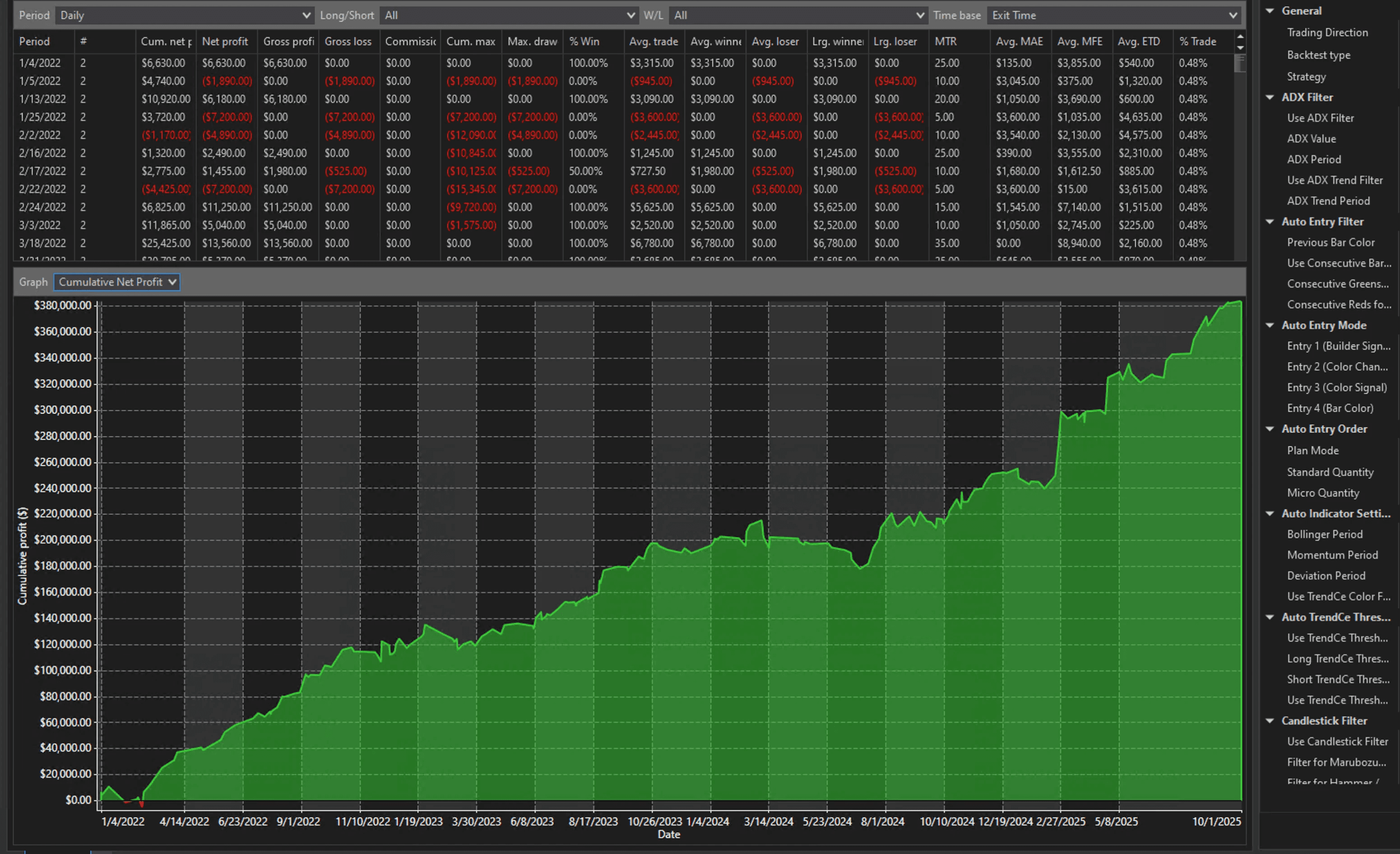
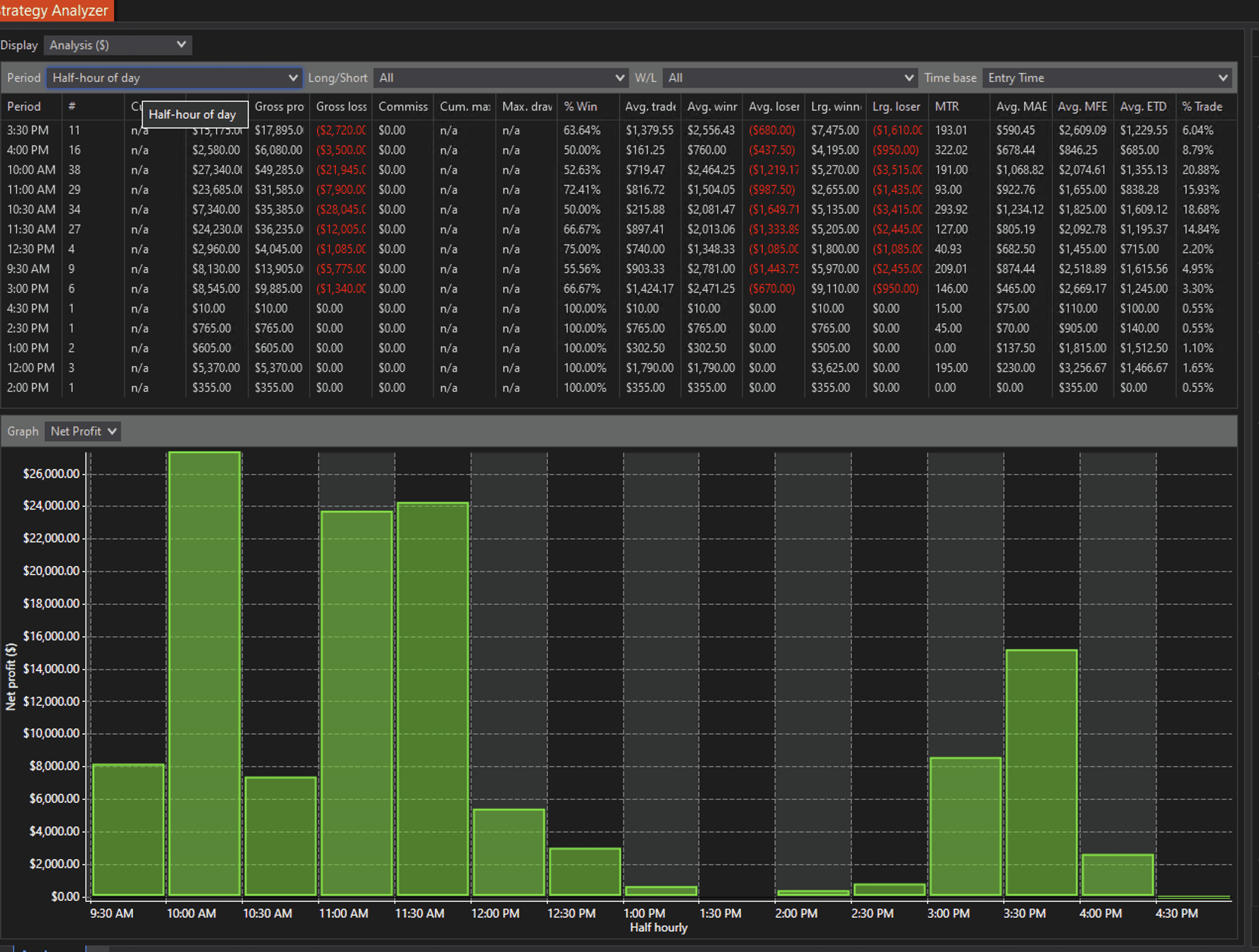
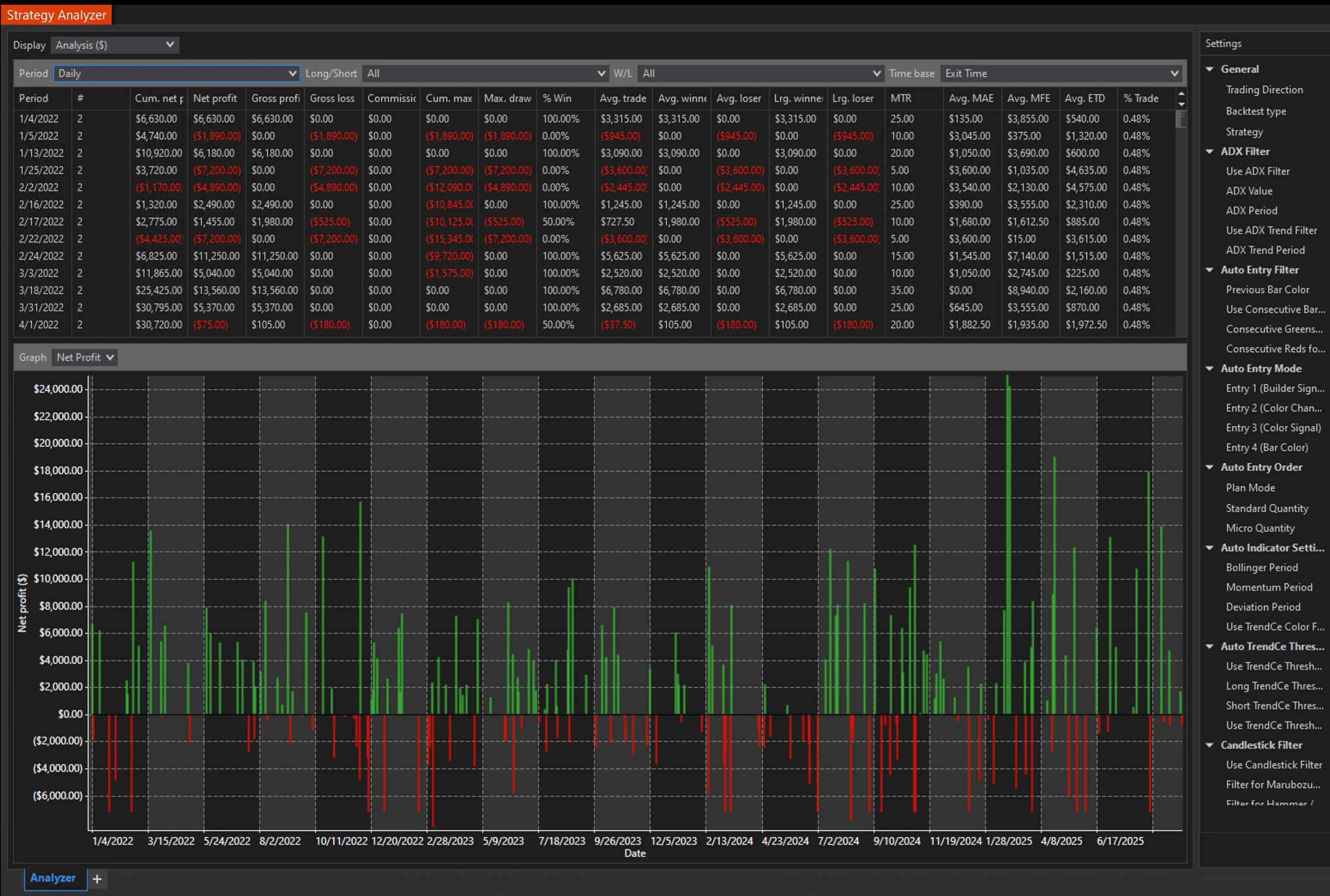
Strategy Analyzer: Open strategy analyzer in Ninjatrader to run the backtest and examine the results.
Multiple Timeframes: Set your initial parameters, time range, and data type (e.g. 15-minute bars).
Optimization: Optimize each setting parameter in the strategy optimizer to find optimal settings.
2. Key Performance Metrics
When analyzing the backtest results, look at:
Net Profit / Loss: The total profitability over the test period after setting your base account value.
Profit Factor: The ratio of gross profits to gross losses for all trades within a given sample. The higher the better.
Max Drawdown: Measures risk exposure. A lower max drawdown with stable returns is often preferable.
Win Rate: A higher win rate is nice, but a profit factor > 1.5 or 2.0 indicates consistent profitability.
Tip: Don’t rely on a single metric. Look at a combination to gauge consistency, risk, and overall expectancy.

3. Pro Tips
Backtest in Strategy Analyzer and Playback mode
Optimize settings regularly to match current market conditions
Review max drawdown to keep account risk under control
Patience and consistency are key to long-term success